
Pokepuck
One rink. One rival. Three minutes.
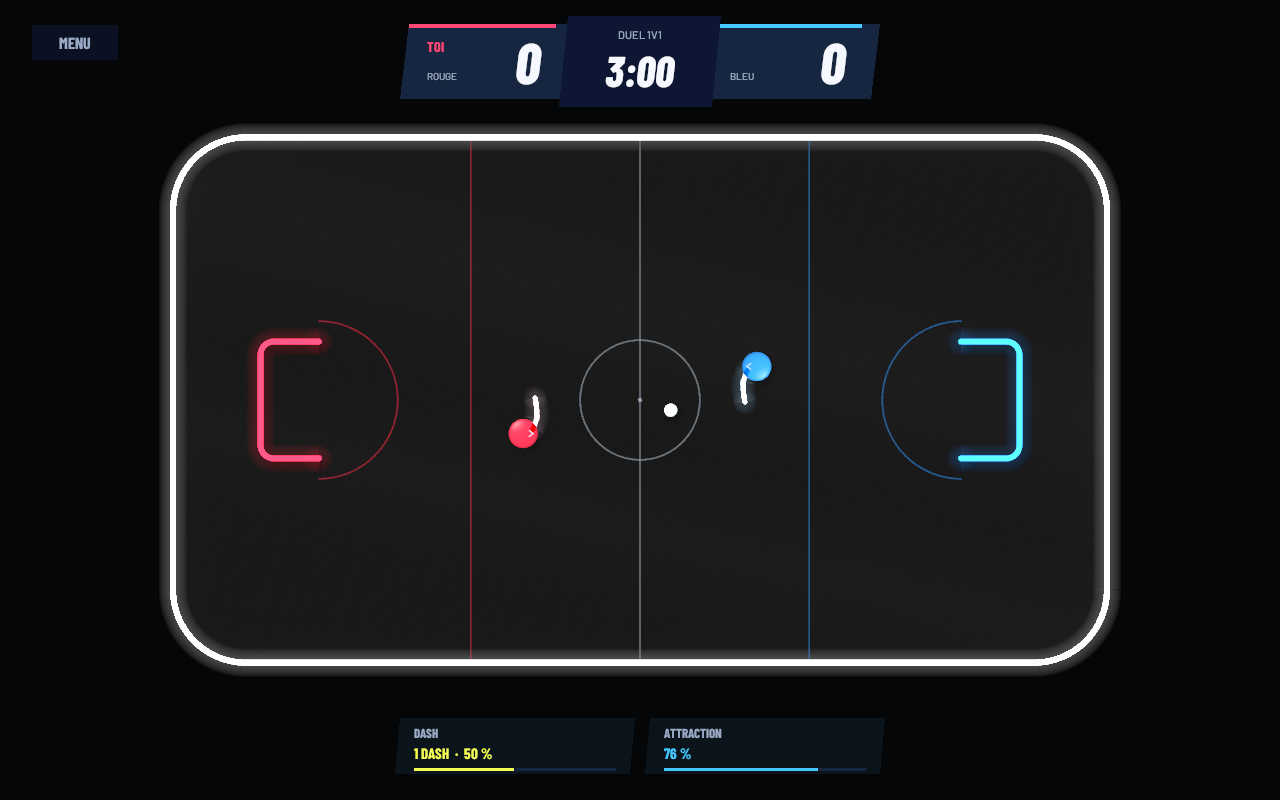
Pokepuck is an online, top-down 2D hockey game built for head-to-head duels. Glide across the ice, swing your stick, line up your shot and find the opening. Every contact counts.
- 1v1 multiplayer: create a room and share its code with a friend.
- Physics-driven play: use the boards, skate behind the goals and put your stick's momentum into every shot.
- Two dashes: burst forward at the right moment and manage your energy.
- Magnetic control: pull the puck toward the tip of your stick to set up your next shot.
- Three-minute matches: score, celebrate and face off again at center ice. Tied games go to sudden-death overtime.
How to play
Play in your desktop browser or download the Windows or Linux version. All three versions connect to the same server: create a room and invite a friend using its code. Both players must ready up in the lobby. Full screen is recommended.
Keyboard & mouse
WASD / ZQSD / arrow keys: skate. Move the mouse left or right: rotate your stick. Space / Shift: dash. Hold right-click: attract the puck. Hold left-click: lift your stick. Escape: open the menu and release the mouse cursor. Opening the menu does not pause the online match.
Controller
Left stick: skate. Right stick: aim your stick. RT / R2: dash. Hold LT / L2: attract the puck. Hold RB / R1: lift your stick.
A playable prototype in development. Two human players and an internet connection are required. The browser version is designed for desktop computers.
Download
Install instructions
Installation
Windows 64-bit: extract the entire archive, then run Pokepuck.exe. Linux x86_64: extract the entire archive, then run Pokepuck.x86_64. If needed, make it executable with chmod +x Pokepuck.x86_64. Keep the accompanying files and folders next to the executable.
The cover and banner are AI-generated 3D promotional illustrations. The actual game is played in top-down 2D, as shown in the client screenshots.
Comments
Log in with itch.io to leave a comment.
💎✨😎🔥